
Cage editing is a VR and Screen feature that allows you to warp and reshape imported 3D models, scans, and AI-generated geometry. This non-destructive tool uses a control grid of points around the model to make broad, proportional changes while preserving the details of your original mesh.
What is possible?
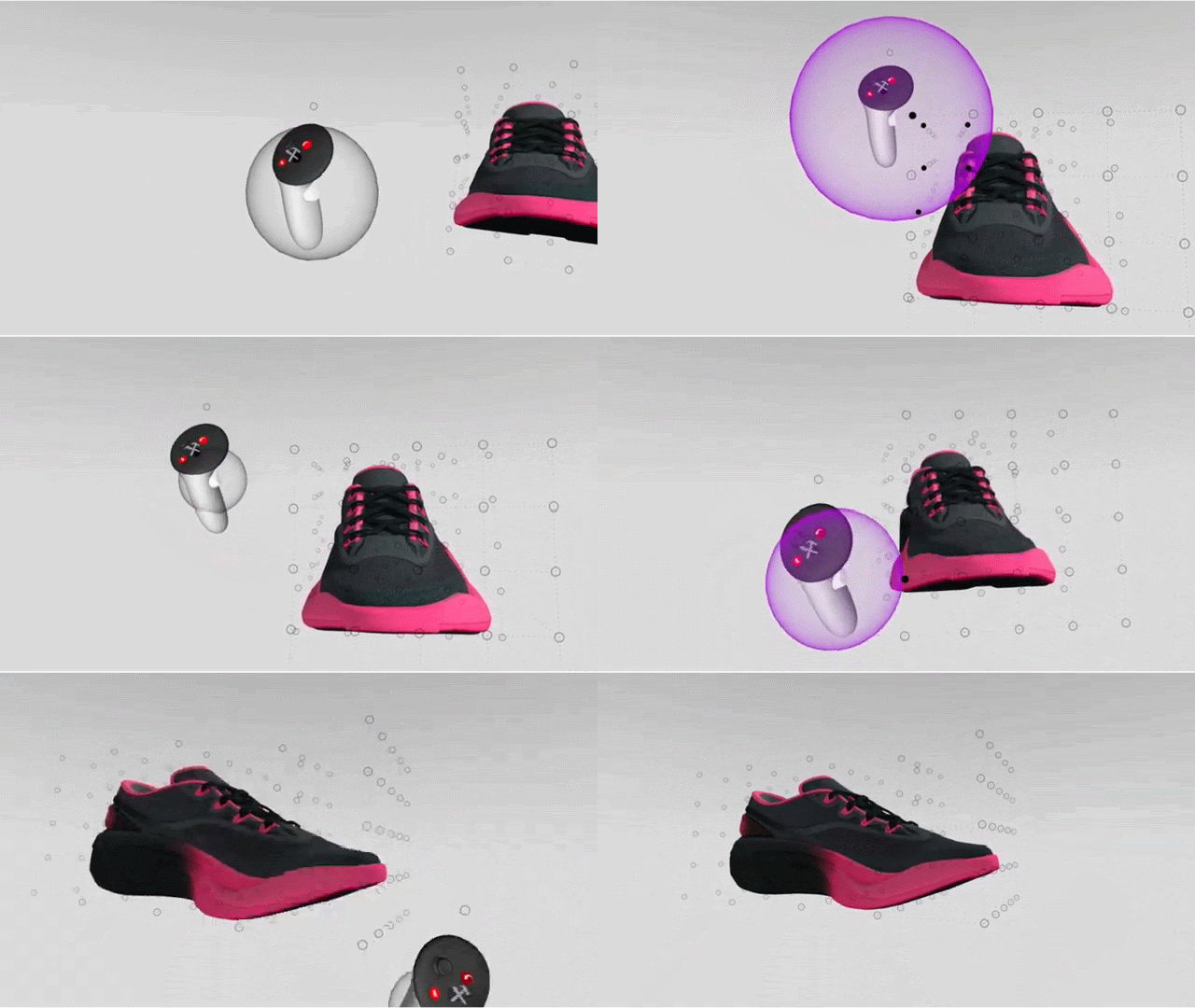
With cage editing, you can adapt external assets to fit your design concept without starting from scratch. By manipulating a Bezier-based grid of control points, you can stretch, bend, or warp complex imported geometry. This allows you to quickly alter the overall shape of an asset while keeping its underlying mesh structure intact.
How to use cage editing
1. Upload your file to your cloud storage at app.gravitysketch.com
2. Import the model into your VR Room
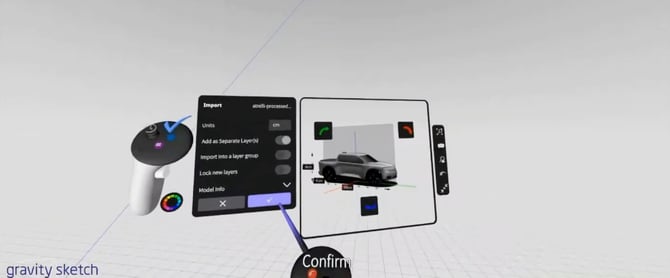
3. Enter edit mode: Intersect your grab sphere with the object until it highlights, squeeze and hold the grab button on your drawing hand to hold the object, and press the blue button on your non-drawing hand controller
4. Grab and move a single or multiple control points to reshape the mesh as needed
Note: Your imported model's quality can be adjusted as usual.
Important to know
The cage editing feature is currently in beta and is limited to imported models only. It does not support individual vertex-level editing, symmetry, density adjustment, or face and edge grabbing. These limitations help maintain performance while you perform broad structural edits.
Beta access and feedback
If you're a paying organization and want to enable Cage editing for your team, reach out to your Customer Success Manager, or email support@gravitysketch.com.
As a beta feature, we are looking for feedback and ideas on how to make cage editing work harder for your workflow. Please share the ways this is shaping your process, and ideas for future development.