---
title: June 2021 Update
description: Explore Gravity Sketch’s new reflective and clay materials, enhanced precision tools, faster LandingPad navigation, and improved import/export options.
---
[Skip to content](https://help.gravitysketch.com/hc/en-us/articles/5896196554525-june-2021-update#main-content)

Open main navigation
Close main navigation
How can we help you?
- There are no suggestions because the search field is empty.
1. [Gravity Sketch](https://help.gravitysketch.com/?hsLang=en)
2. [What's new?](https://help.gravitysketch.com/whats-new?hsLang=en)
3. [Product Updates & Releases](https://help.gravitysketch.com/whats-new?hsLang=en#product-updates-releases)
# June 2021 Update
Learn about all new and improved features in Gravity Sketch
#### Reflective Material
We’ve improved how reflective material looks on your models on Oculus Quest/Quest 2, which comes in handy for surface quality checking while designing.
#### Clay Material
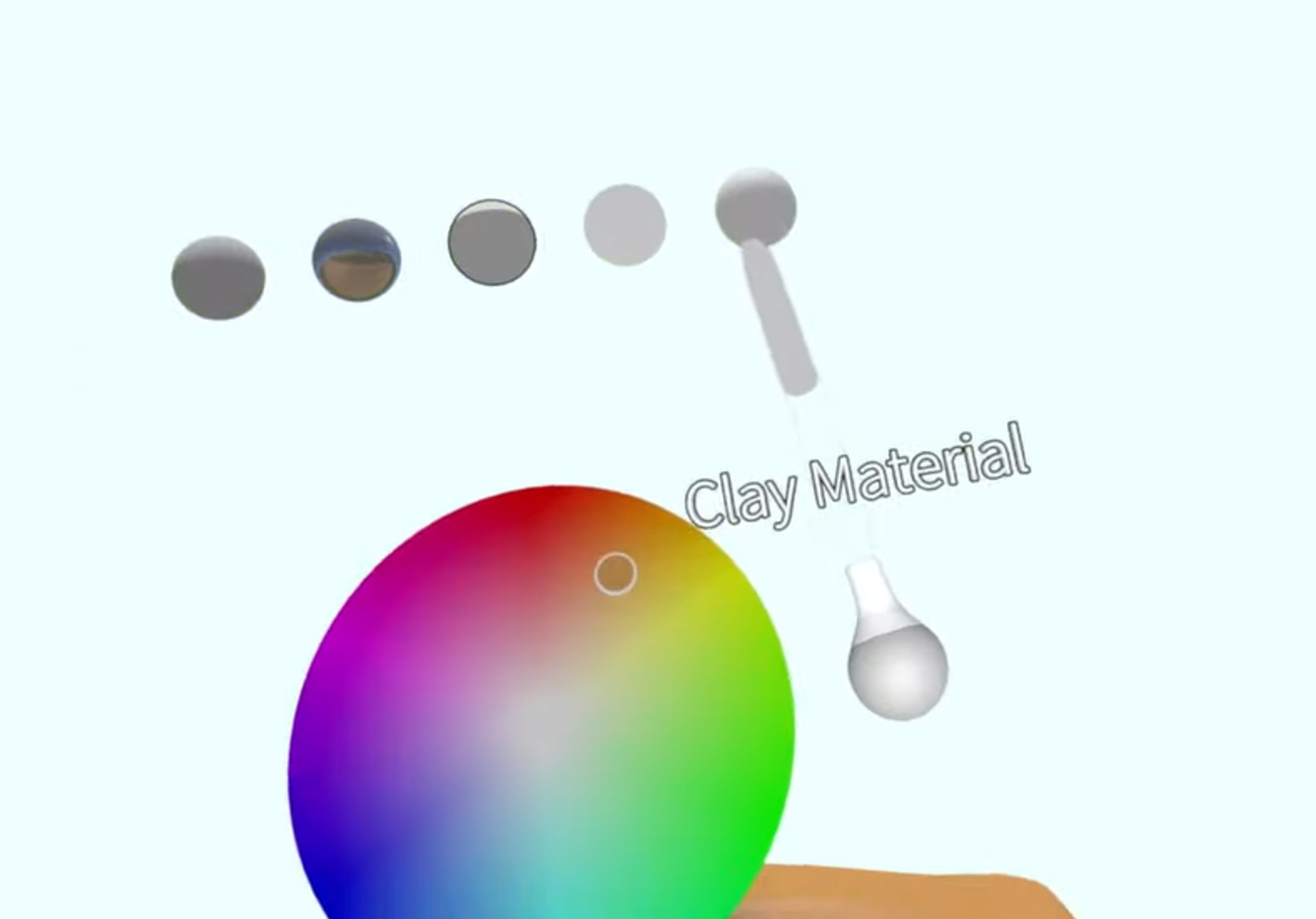
New clay material is available in the selection of materials.
#### VR Environment
To help you start quicker, environments are now retained through sketches. Once you select an environment, it will remain in every following sketch (until you change it again) as well as the layout of any undocked menu items.
#### Clock Settings
You can now set reminders to better keep track of time. Access the Clock settings menu by selecting the time on your non-drawing hand controller with the drawing hand pointer and squeezing the same controller’s front trigger.

#### Precision Move Tool Updates
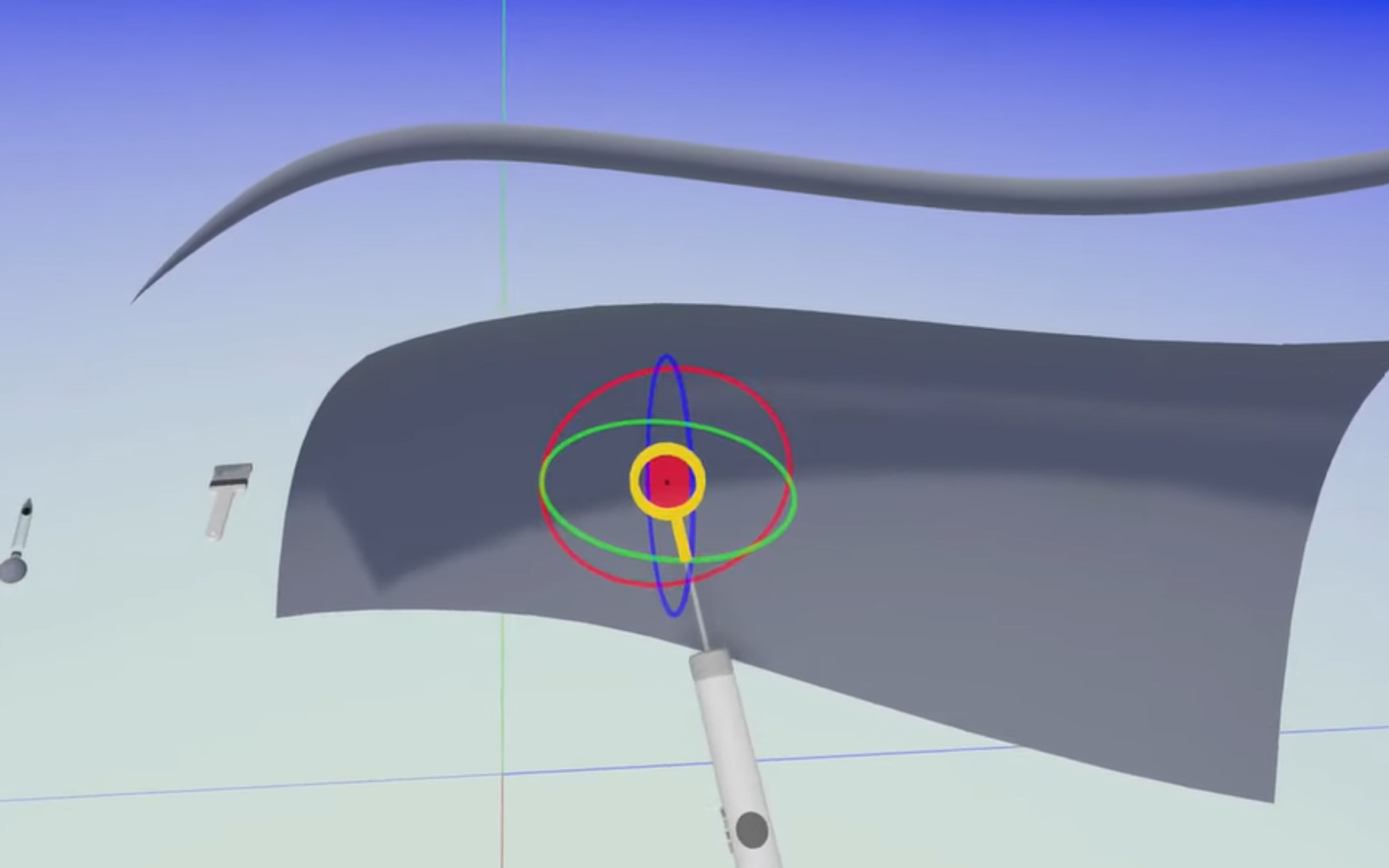
### Custom Pivot Points (Red Cube)
You can use the Precision Move Tool in the Tool Belt to set custom pivot points, to easier move, scale or rotate objects.
### Snap SubD Surface
You can use Precision Move Tool to snap the SubD surface back to the original place, where it was created.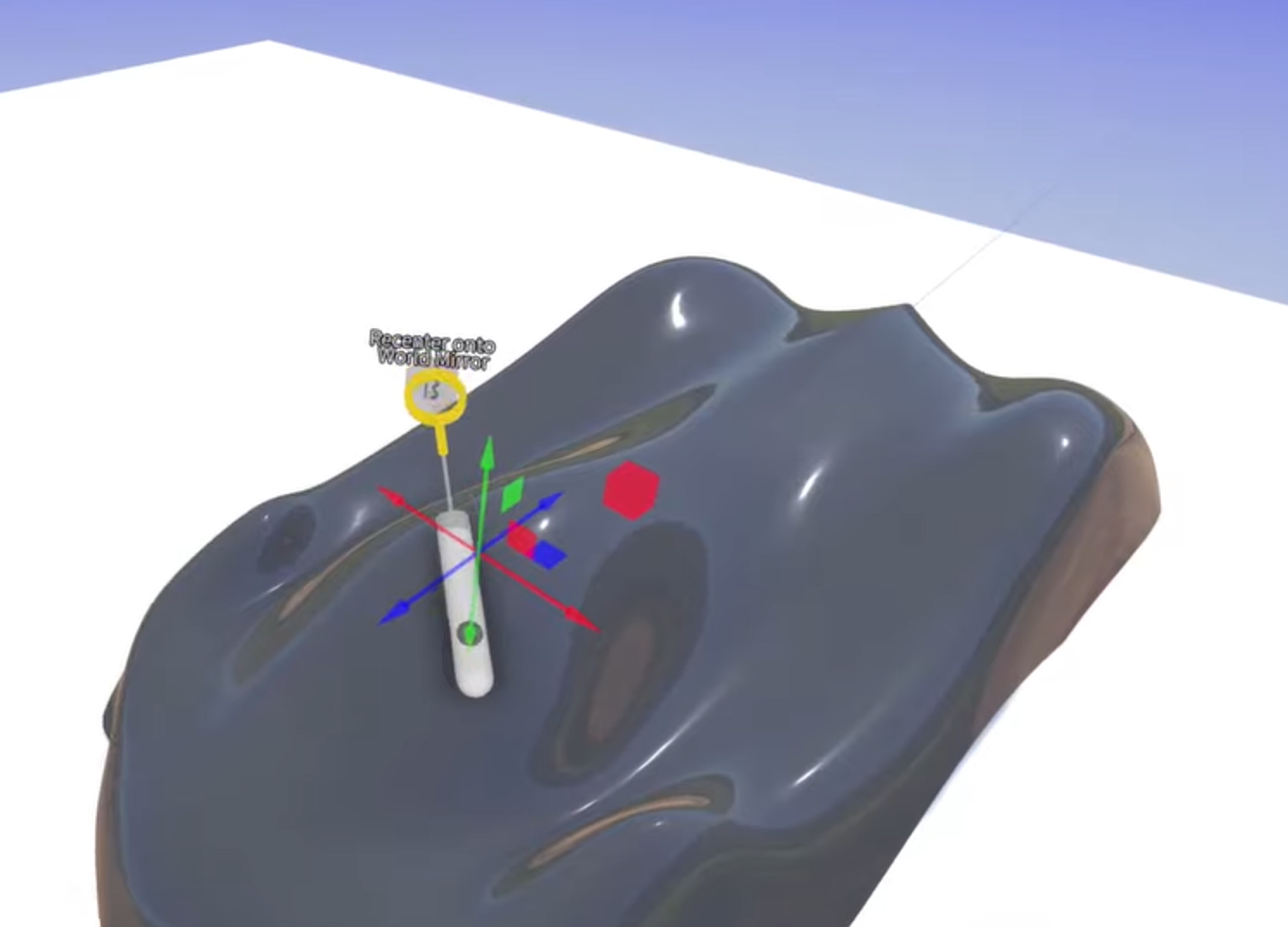
#### Snap Control Points
Snap Control Points to splines and to the stage floor. This way you have more options for the precision control of curves or surfaces.

#### Import update
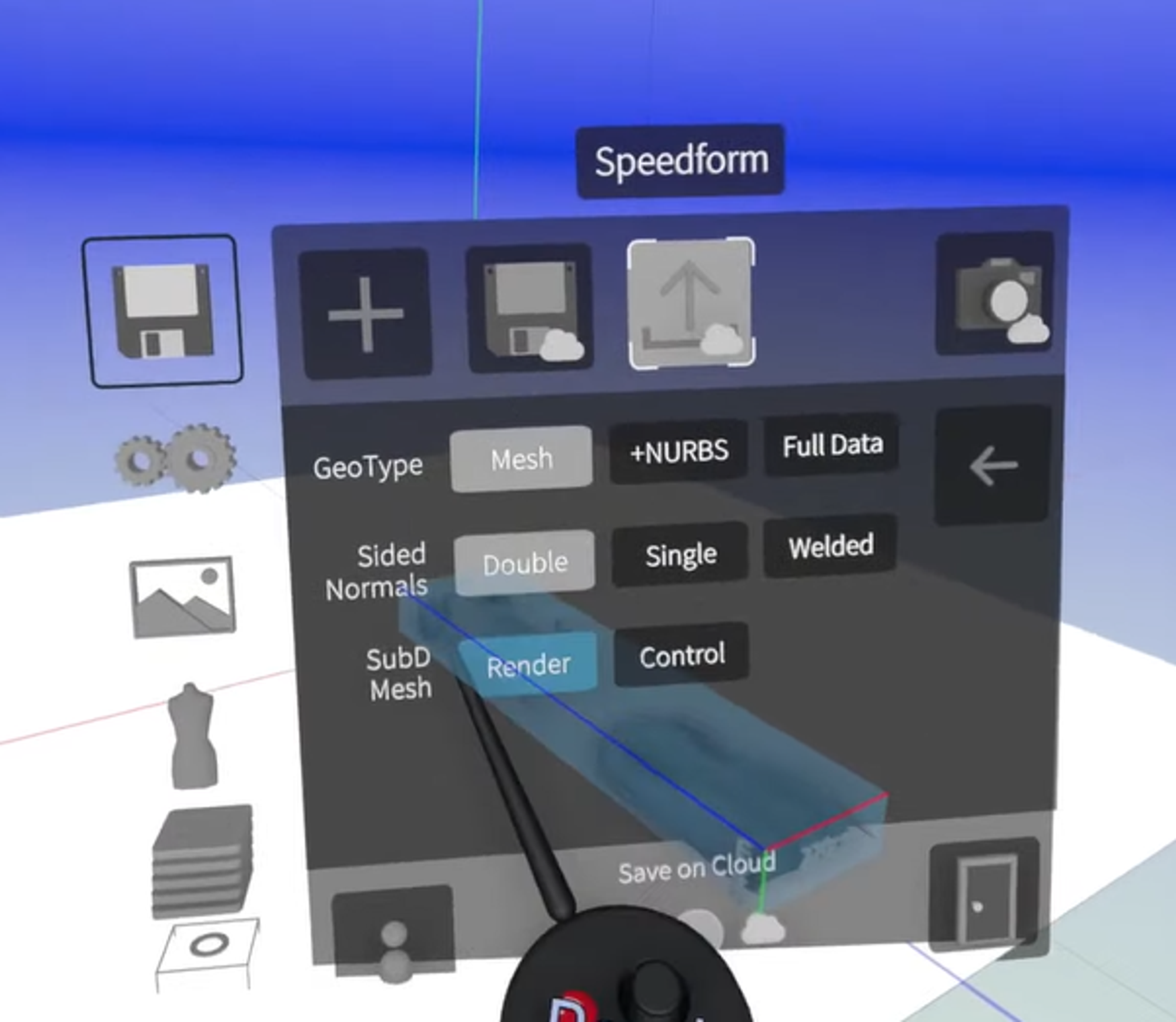
You can now import GRS files (sketch) to other sketches. When you bring one sketch (GRS) to another, the layers from the imported files will be preserved and will stay in the same order.
#### Export update
Export more information with FBX format.
#### LandingPad updates
We improved caching, which means faster files navigation on LandingPad.
### Upload entire folders
You can now import entire folders and the structure on LandingPad will be maintained.
### New Search Bar
We have added a new search bar to make finding files easier.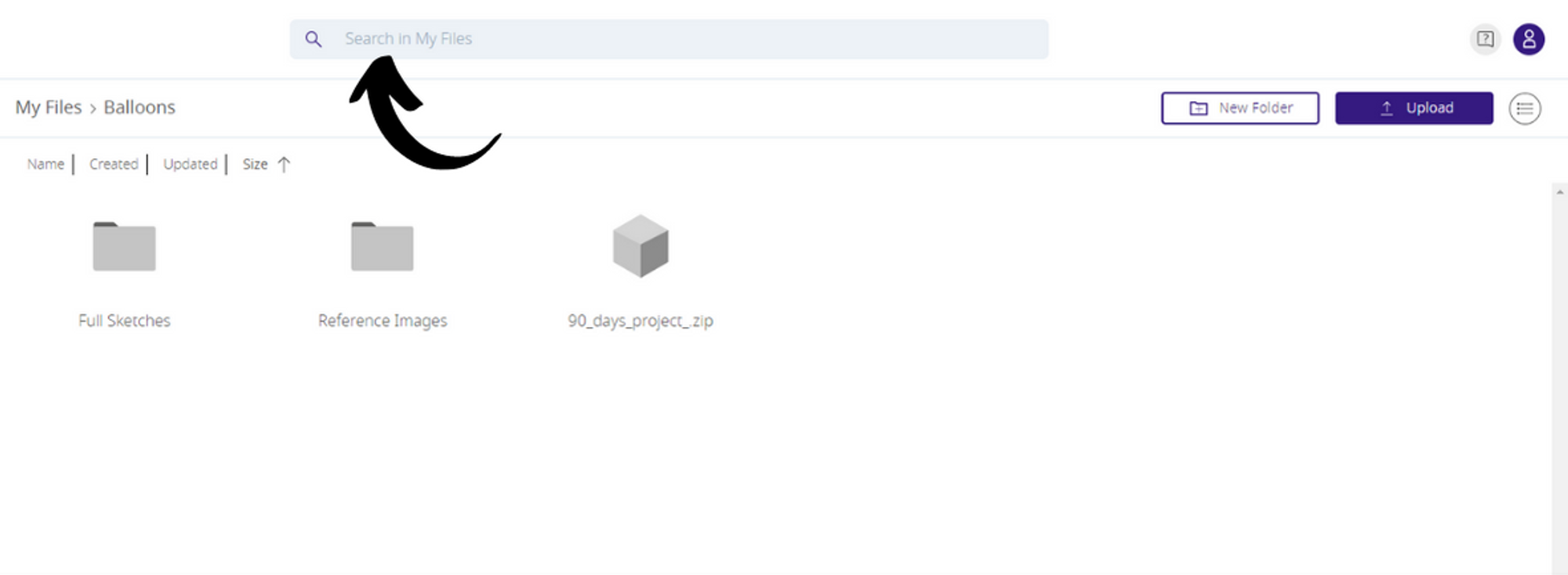
### Web Inspector
Web inspector has a new interface and theatre mode for true full-screen viewing.

#### Video demo
- [Getting started](https://help.gravitysketch.com/getting-started?hsLang=en#main-content)
- [Basic VR Controls](https://help.gravitysketch.com/getting-started?hsLang=en#basic-vr-controls)
- [Starter Resources](https://help.gravitysketch.com/getting-started?hsLang=en#starter-resources)
- [VR Guide](https://help.gravitysketch.com/getting-started?hsLang=en#vr-guide)
- [PC & VR Setup](https://help.gravitysketch.com/getting-started?hsLang=en#pc-vr-setup)
- [Troubleshooting](https://help.gravitysketch.com/troubleshooting?hsLang=en#main-content)
- [Troubleshooting](https://help.gravitysketch.com/troubleshooting?hsLang=en#troubleshooting)
- [FAQs](https://help.gravitysketch.com/troubleshooting?hsLang=en#faqs)
- [What's new?](https://help.gravitysketch.com/whats-new?hsLang=en#main-content)
- [Release Notes](https://help.gravitysketch.com/whats-new?hsLang=en#release-notes)
- [Product Updates & Releases](https://help.gravitysketch.com/whats-new?hsLang=en#product-updates-releases)
- [Creation tools](https://help.gravitysketch.com/creation-tools?hsLang=en#main-content)
- [Explore Workspace](https://help.gravitysketch.com/creation-tools?hsLang=en#explore-workspace)
- [Interact with Objects](https://help.gravitysketch.com/creation-tools?hsLang=en#interact-with-objects)
- [Sketching and Basic Editing](https://help.gravitysketch.com/creation-tools?hsLang=en#sketching-and-basic-editing)
- [Advanced Control](https://help.gravitysketch.com/creation-tools?hsLang=en#advanced-control)
- [SubD Editing](https://help.gravitysketch.com/creation-tools?hsLang=en#subd-editing)
- [File Management](https://help.gravitysketch.com/creation-tools?hsLang=en#file-management)
- [Beta Menu](https://help.gravitysketch.com/creation-tools?hsLang=en#beta-menu)
- [Quick Tips](https://help.gravitysketch.com/creation-tools?hsLang=en#quick-tips)
- [Import & export](https://help.gravitysketch.com/import-export?hsLang=en)
- [Collaboration](https://help.gravitysketch.com/collaboration?hsLang=en#main-content)
- [Collaboration in AR/VR](https://help.gravitysketch.com/collaboration?hsLang=en#collaboration-in-ar-vr)
- [Collaboration on Desktop](https://help.gravitysketch.com/collaboration?hsLang=en#collaboration-on-desktop)
- [Presentation](https://help.gravitysketch.com/collaboration?hsLang=en#presentation)
- [Data & security](https://help.gravitysketch.com/data-security?hsLang=en)
- [Gravity Sketch for businesses](https://help.gravitysketch.com/gravity-sketch-for-businesses?hsLang=en#main-content)
- [Organizations in Gravity Sketch](https://help.gravitysketch.com/gravity-sketch-for-businesses?hsLang=en#organizations-in-gravity-sketch)
- [Enterprise Features](https://help.gravitysketch.com/gravity-sketch-for-businesses?hsLang=en#enterprise-features)
- [Learn Gravity Sketch](https://help.gravitysketch.com/learn-gravity-sketch?hsLang=en#main-content)
- [Certification](https://help.gravitysketch.com/learn-gravity-sketch?hsLang=en#certification)
- [Community](https://help.gravitysketch.com/learn-gravity-sketch?hsLang=en#community)
- [Education](https://help.gravitysketch.com/learn-gravity-sketch?hsLang=en#education)
- [Labs](https://help.gravitysketch.com/labs?hsLang=en#main-content)
- [About Labs](https://help.gravitysketch.com/labs?hsLang=en#about-labs)
[](http://gravitysketch.com)
Copyright © 2026, Gravity Sketch