
You can export your files as DRAFT, FBX, IGES, OBJ, GLTF, USDZ and MP4 from your Gravity Sketch Web account on app.gravitysketch.com. You can do this by either right-clicking on a file to open its context menu or by opening it in Web Inspector
To do so, follow the steps below:
- Go to app.gravitysketch.com and log into your account.
- Select the file you would like to export, then select View (or double-click the file). Wait for the file to fully upload.
Once the file uploads in the Gravity Sketch Web Inspector:
- Select the Export button in the top right corner and the drop-down menu with export properties will appear.
- Type in the file name and select your preferred settings (learn more about export settings here).
- Once you are happy with the export settings, select Export.
Context Menu
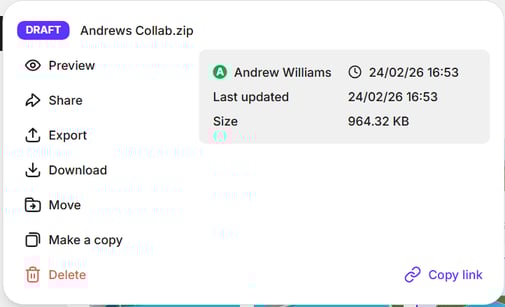
Right-click on a Room or Draft file in Gravity Sketch Web to open its context menu. From the dropdown select Export.
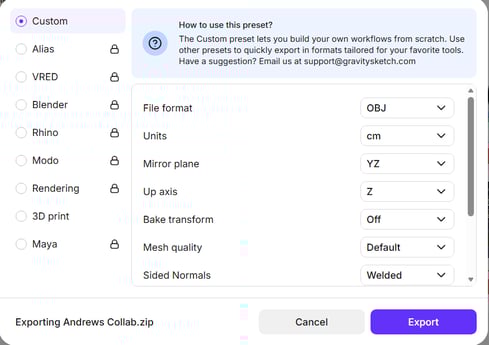
From here you can choose an export preset for your target software on the left of the menu or tweak specific settings on the right side of the menu.
Choose your Export Settings
From this menu you can choose from our list of export presets, file formats and more before exporting your file.
Access Exports
Your exports will be saved to My Files (Individual version - personal account) or Personal Files (Business version - organisational account).
All exported files will also be available to view and download back in Gravity Sketch Web